Markdown
Markdown, rendered as you type
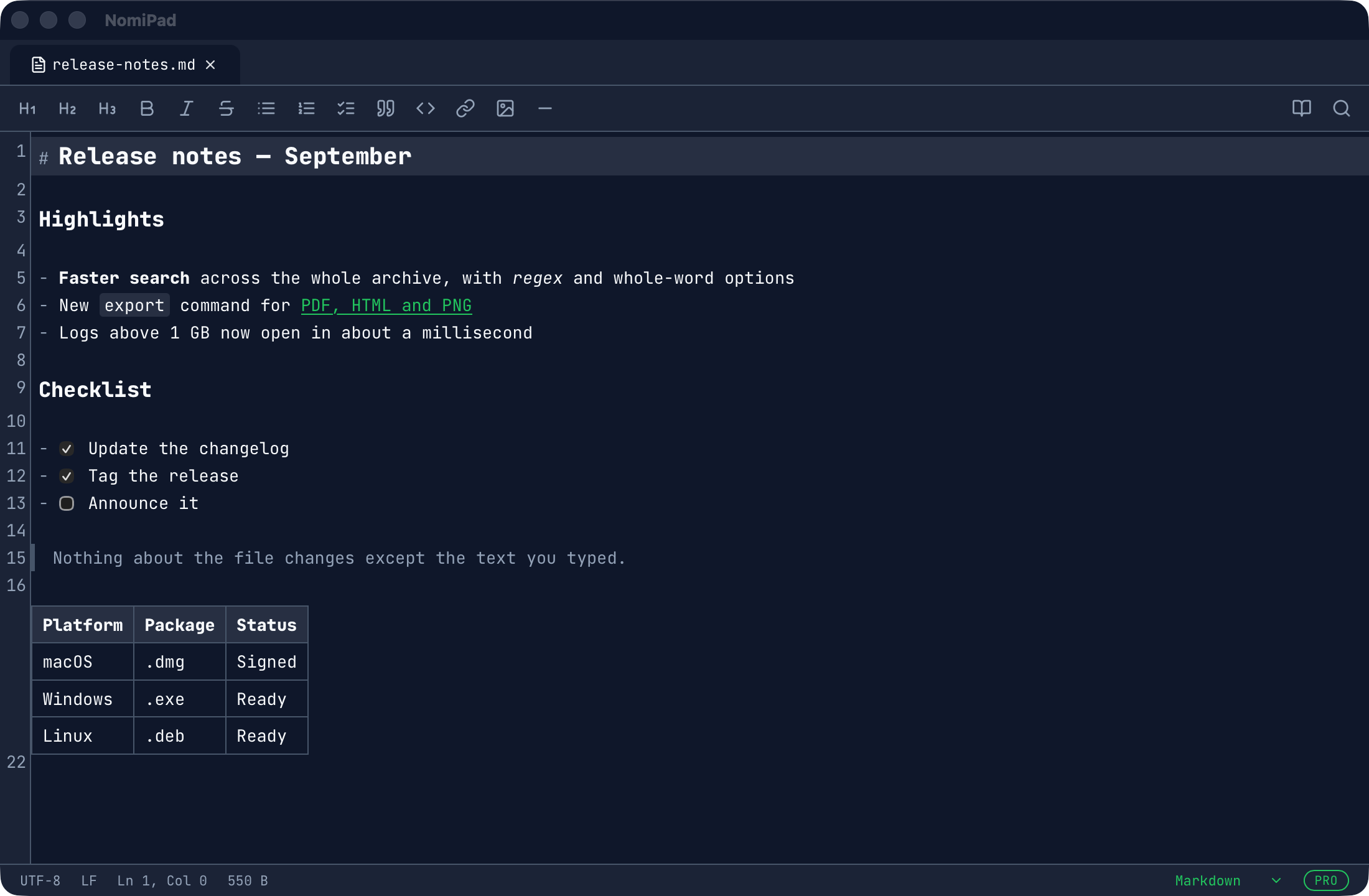
NomiPad shows Markdown formatted in the same window you write in. The markers appear only on the line you’re editing, and the file on disk stays plain Markdown.
By the NomiPad team · Updated
What it renders
- Headings, bold, italic and strikethrough, inline code, links and quotes
- GitHub-style tables
- Task lists with checkboxes you can click
- Images from the web or next to the file
A formatting toolbar and shortcuts cover the common marks. Preview (⌘⇧P) shows the
document read-only, for reading without accidental edits; ⌘⇧M switches a file between Live Markdown and
plain text.
Your files stay yours
There is no vault, library or database: NomiPad opens and saves ordinary .md files wherever they are,
in their own encoding and line endings. Git, other editors and static-site generators see exactly what you wrote.
Export
File › Export As writes PDF (paginated, A4 or US Letter by region), HTML or a PNG of the whole document, without a print dialog.
Big Markdown files too
Changelogs, generated docs and exported notes can get large. Markdown files open with every feature up to 64 MiB; above that NomiPad opens them in Plain mode, fast, without live rendering.
What it isn’t
NomiPad is a notepad, not a knowledge base: no backlinks, graph, folders pane or sync. If you need those, a note-taking app is the better fit; NomiPad is for writing and editing Markdown files quickly, and for everything else that’s text. See how it compares.